How to Clean a Robot Vacuum: Brushes, Sensors, Dock and Mop Pads
A few minutes a week keeps a robot vacuum navigating and cleaning properly. Here's the routine for brushes, sensors, wheels, dock and pads.
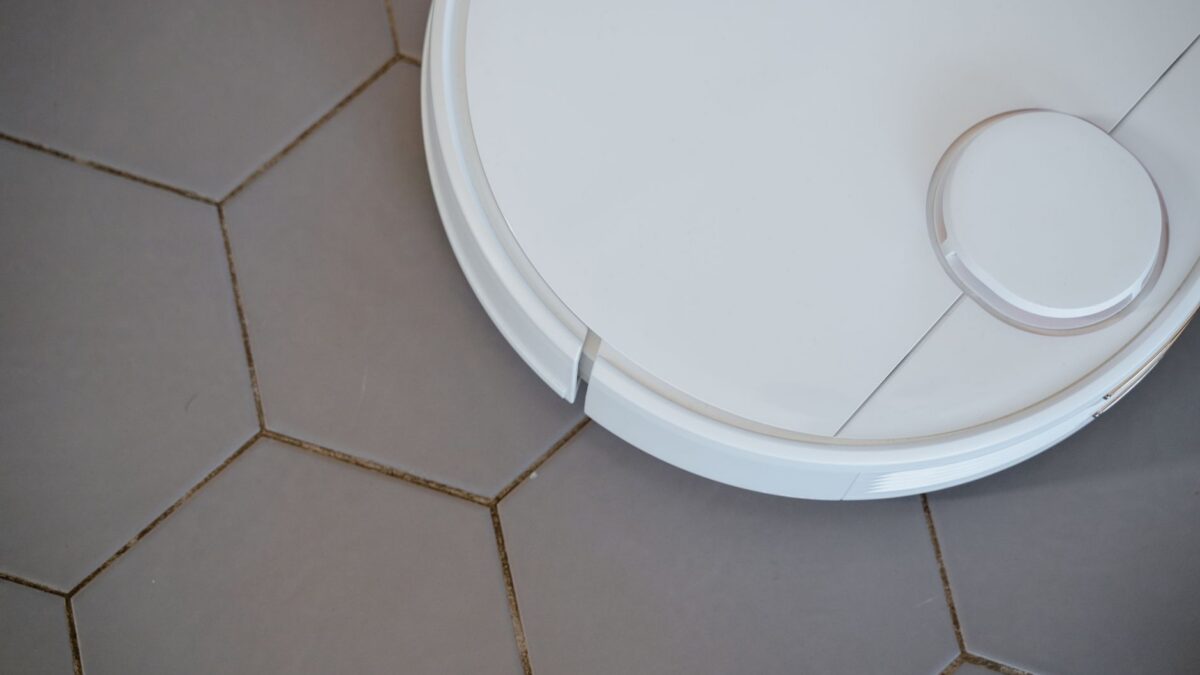
To keep a robot vacuum cleaning well, empty the bin (or check the dock bag) regularly, clear hair from the main and side brushes weekly, tap out or replace the filter on the maker’s schedule, and wipe the sensors and charging contacts with a dry cloth about once a month. If it mops, wash the pads after use and rinse the dirty-water tank so it doesn’t smell. Always switch the robot off before handling brushes, and check your manual for which parts can get wet.
What you need
- A dry microfiber cloth
- Small scissors or the cleaning tool that came with the robot
- A soft brush (an old toothbrush works)
- Cotton swabs for tight corners
- Your manual or the maker’s app maintenance screen
Maintenance schedule at a glance
| Part | Clean | Typical care |
|---|---|---|
| Dust bin | After each run, or when the dock empties it | Empty over a trash bag; tap the filter |
| Main brush / roller | Weekly (more with pets) | Remove, cut away hair, clear end caps |
| Side brush | Weekly to monthly | Unwrap hair; straighten or replace bent bristles |
| Filter | Weekly tap-out; replace per manual | Many robot filters are not washable |
| Cliff sensors and lidar/camera window | Monthly | Dry microfiber cloth |
| Wheels | Monthly | Remove hair and debris from axles |
| Charging contacts (robot and dock) | Monthly | Dry cloth |
| Dock bag or bin | When full or as the app warns | Replace bag; wipe dock intake |
| Mop pads | After each mopping run | Wash per manual; dry fully |
| Water tanks and dock wash tray | After use / weekly | Empty, rinse, air-dry |
Many apps track part hours and show reminders; treat those as a guide and adjust for pets and long hair.
Step by step: a full monthly clean
- Turn the robot off and lift it off the dock. Lay it upside down on a towel.
- Empty the bin over a trash bag, ideally outdoors if anyone has allergies.
- Tap the filter clean against the inside of the bag. Only rinse it if the manual says it’s washable, and then dry it completely before refitting.
- Remove the main brush. Usually a guard unclips. Pull off hair, cut through wraps with scissors along the groove if there is one, and remove the end caps to clear hair wound around the axles.
- Remove the side brush (often a single screw or clip). Unwind hair from its base and the post it sits on.
- Clean the wheels. Spin each wheel and pull out hair and debris. Check the front caster; many pull out for cleaning.
- Wipe the sensors. Use a dry microfiber cloth on the cliff sensors underneath, the bumper, and the lidar turret or camera window. Avoid sprays and wet cloths unless the manual allows them.
- Wipe the charging contacts on the robot and the dock with a dry cloth.
- Check the dock. On self-emptying docks, look for blockages at the intake port and replace the bag if it’s full.
- Reassemble, put the robot on the dock and run a short test clean.
Dealing with hair wrap
Long human hair and pet fur are the main enemies of robot brushes. To cut down on wrap:
- Check the brushes weekly rather than waiting for a “brush stuck” error.
- Cut hair across the brush in a line rather than pulling it out strand by strand.
- Pay attention to the brush ends and bearings — hair there makes brushes noisy and strains the motor.
- Rubber rollers and tangle-resistant designs make this easier, which is worth considering at replacement time. See how to choose a robot vacuum.
Mop pads and water tanks
- Wash pads after each mopping run, as the manual directs (often a warm machine wash without fabric softener, which can reduce absorbency). Air-dry fully.
- Empty the dirty-water tank after each run and rinse it. Standing dirty water is the usual cause of a smelly dock.
- Clean the dock’s wash tray and any filter in it regularly.
- Use only maker-approved cleaning solution. Other cleaners can damage pumps and seals or void the warranty. Never add bleach to a robot’s water tank unless the maker specifically permits it, and never combine different products.
Troubleshooting with cleaning
| Problem | Check first |
|---|---|
| Leaves dirt behind | Full bin, clogged filter, worn or wrapped brush |
| Stops at edges or won’t cross rugs | Dirty cliff sensors (dark rugs can also trigger them) |
| Spins in circles or drives oddly | Hair in a wheel, dirty sensors or bumper stuck |
| Won’t charge | Dirty charging contacts; dock unplugged or moved |
| Loud or squealing | Hair in brush end caps or bearings |
| Smells musty | Wet pads, dirty-water tank, damp filter |
| Maps go wrong | Smudged lidar/camera window; moved furniture |
Replacement parts and costs
Brushes, side brushes, filters, dock bags and mop pads are consumables. Replacement intervals depend on the model and how hard it works — check the manual or the app’s part-life counter. Before buying, compare genuine parts and reputable compatible parts for fit; poorly fitting filters can let dust bypass into the motor. Batteries also wear out over time; if runtime drops sharply, check whether your model’s battery is user-replaceable. Dispose of old batteries properly — the EPA explains how to handle used lithium-ion batteries.
Keep the floor robot-ready
Most “stuck” errors come from the floor, not the robot. Pick up cords, socks and small toys, and set no-go zones for pet bowls. Regular maintenance on the robot is similar to stick vacuums, which also need brush and filter care — see how to clean a cordless vacuum filter.
Bottom line
Empty the bin and check brushes weekly, wipe sensors and contacts monthly with a dry cloth, and replace filters and brushes when worn. If your robot mops, wash pads and rinse tanks after every run so it stays fresh. A few minutes a week keeps it cleaning properly and helps the battery and motor last longer.
FAQ
Can I wash my robot vacuum filter?
Only if the manual says it’s washable. Many robot filters are paper or pleated media that water would ruin; tap them clean and replace them on schedule.
How often should I replace the brushes?
Follow the maker’s interval or app reminder, and replace sooner if bristles are bent, worn down or the rubber is cracked.
Why does my robot vacuum smell bad?
Usually a damp filter, wet mop pads or a dirty-water tank left full. Clean and dry those parts, and empty the bin more often.
Can I use cleaning spray on the sensors?
Use a dry microfiber cloth unless your manual says otherwise. Sprays can leave residue or reach electronics.