How to Choose a Robot Vacuum: Navigation, Docks, Mopping and Privacy
Navigation matters most; everything else depends on your floors, pets and patience. A feature-by-feature guide to buying a robot vacuum.
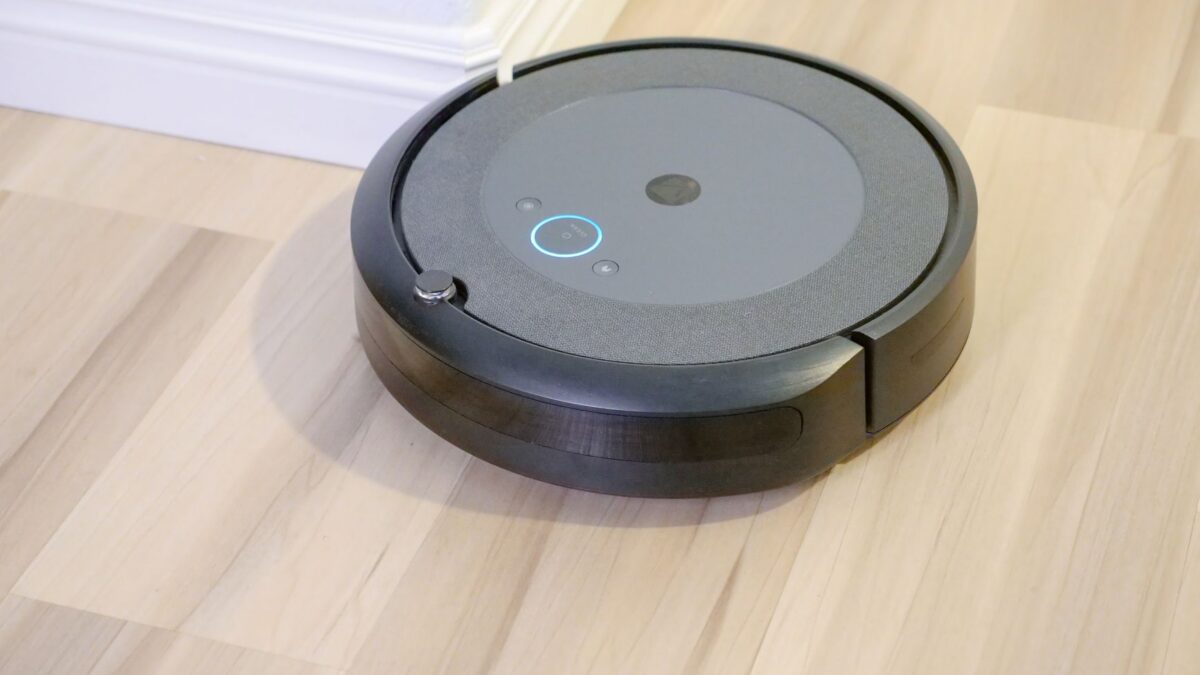
For most homes, the feature that matters most in a robot vacuum is navigation: lidar or camera-based mapping cleans in neat rows, remembers rooms and lets you set no-go zones, while basic bump-and-turn robots wander and miss spots. After that, decide whether you really need a self-emptying dock, mopping and obstacle avoidance (worth it if you have pets or floor clutter). Then check running costs — dock bags, brushes, filters and mop pads — and the app’s privacy settings.
Navigation: lidar, camera or basic
| Type | How it works | Pros | Cons |
|---|---|---|---|
| Lidar (laser) | A spinning or fixed laser sensor measures distances to build a map | Accurate maps; works in the dark; room-by-room cleaning | A raised turret can stop it fitting under low furniture on some models |
| Camera (vSLAM) | A camera reads landmarks to map the home | Can also be used to recognize objects | Usually needs some light; raises more privacy questions |
| Gyroscope / bump sensors | Moves in patterns and turns when it hits something | Cheapest | Less efficient coverage; often no saved maps |
As of October 2026, lidar navigation is common even on many budget models, so you rarely need to settle for random navigation unless the price gap is large.
Obstacle avoidance
Navigation finds walls; obstacle avoidance deals with small things on the floor — cables, socks, shoes and pet waste. Systems use structured light, cameras with object recognition, or both. If you have a dog or cat, check whether the maker specifically lists pet waste among the objects it detects. No system is perfect, so the most reliable prevention is still a quick floor check before a scheduled run.
Self-emptying docks
A self-emptying dock sucks dirt from the robot’s small bin into a larger bag or bin in the base. It makes a big difference if you run the robot daily or have shedding pets.
- Bagged docks keep dust sealed but need replacement bags.
- Bagless docks avoid bag costs but need emptying and filter cleaning.
- Docks can be loud for a few seconds while emptying; many apps let you set quiet hours.
- Docks need floor space, often with clearance on each side and in front — check the manual’s dimensions.
Mopping: what to expect
Robot mopping ranges from a damp pad dragged behind the robot to spinning or roller mops, with docks that wash and dry the pads. Points to check:
- Floor compatibility. Robot mops are for sealed hard floors. Check your flooring maker’s care guidance — some limit how much water can be used on wood or laminate. See how to clean laminate floors for why excess water matters.
- Carpet handling. Look for a mop that lifts or detaches on carpet, or set no-mop zones.
- Cleaning solution. Use only what the maker approves; other cleaners can damage tanks and pumps or void the warranty.
- Pad drying. Wet pads left in a closed dock can smell. Docks with drying help, but pads still need washing.
Robot mopping is good for daily light cleaning. Sticky spills still need a proper mop.
Suction, battery and bin
- Suction is often listed in pascals (Pa). It’s useful for comparing models within one brand; cross-brand comparisons are less reliable because test conditions vary.
- Runtime matters for large homes. Mapping robots can usually recharge and resume where they stopped.
- Bin size matters only if you don’t have a self-emptying dock.
- Brush design — rubber rollers and tangle-resistant brushes cut down hair wrap.
- Height — measure the gap under your sofa and bed.
- Threshold climbing — makers list a maximum height in millimeters or inches; compare with your door thresholds and rug edges.
Apps, accounts and privacy
A mapping robot stores a floor plan of your home, and camera models can capture images. Before buying:
- Read the maker’s privacy policy: what is stored, whether images leave the device, and whether data is shared with third parties.
- Check whether the robot works without an account or cloud connection, and what features you lose.
- Look for settings to disable cameras or image upload and to delete maps.
- Prefer makers that publish a security contact and deliver firmware updates.
- Put the robot on a secured home Wi-Fi network with a strong password.
Security researchers have reported flaws in connected robot vacuums over the years, so updates and sensible settings are worth the few minutes they take.
Running costs
| Part | Why it wears out | Where to check |
|---|---|---|
| Main brush / roller | Bristles and rubber wear, hair wraps | Manual’s replacement interval; app reminders |
| Side brush | Bristles bend and fray | Manual |
| Filter | Clogs with fine dust | Manual; many are not washable |
| Dock bags | Fill up | Bag capacity and price |
| Mop pads | Wear from washing | Manual |
| Battery | Lithium-ion capacity drops with age and charge cycles | Whether it’s user-replaceable and sold separately |
Before you buy, look up the price and availability of these parts. A cheaper robot with expensive or hard-to-find parts may cost more over a few years. Our guide on cleaning a robot vacuum explains the routine that keeps parts lasting longer. When a battery finally dies, recycle it rather than binning it — the EPA explains how to handle used lithium-ion batteries.
Price ranges
As of October 2026, many lidar robots without a self-emptying dock sell in roughly the $150–$300 range, mid-range models add docks and mopping, and premium models with hot-water mop washing and object recognition can cost more than $1,000. Prices swing a lot during sales, so set your must-have features first.
A quick checklist
- Lidar or camera mapping with no-go zones
- Obstacle avoidance if you have pets or clutter
- Self-emptying dock if you’ll run it daily
- Mopping only if you have sealed hard floors that allow it
- Fits under your furniture and over your thresholds
- Affordable, available replacement parts
- Privacy controls you’re comfortable with
Not sure a robot is right for you at all? Compare it with a stick vacuum in robot vacuum vs cordless vacuum.
Bottom line
Buy for navigation first, then add only the features you’ll use. Lidar mapping is the sensible baseline, obstacle avoidance matters for pet homes, a self-emptying dock earns its keep with daily runs, and mopping is a bonus for sealed hard floors. Check consumable costs and privacy settings before you commit.
FAQ
Is lidar better than a camera?
Both can map well. Lidar works in the dark and doesn’t capture images; cameras can support object recognition but raise more privacy questions. Many models combine sensors.
Do I need a self-emptying dock?
Not if you’re happy emptying a small bin after most runs. It’s most useful for daily cleaning, pet hair and allergy sufferers who want less contact with dust.
Can a robot vacuum handle pet waste?
Some models are designed to detect and avoid it, but none are guaranteed. Check the floor before scheduled runs, especially with a new pet.
Will a robot mop damage wood floors?
It can if it uses too much water or the floor isn’t sealed. Follow your flooring maker’s care guide and use the lowest water setting or no-mop zones where needed.